Ten days ago I wrote about CVE-2026-98432, the remote use-after-free in the kernel’s IPv4 TCP code. That post covered Ubuntu, Debian and RHEL. It didn’t cover Raspberry Pi OS, which doesn’t use Debian’s kernel. Raspberry Pi builds its own, from its own kernel tree, and ships it from its own apt repository.
So I checked that repository, and then every Pi in my house. None of the four I could reach was patched. One was a single apt update away from the fix. The other three can’t get it from apt at all.
TL;DR
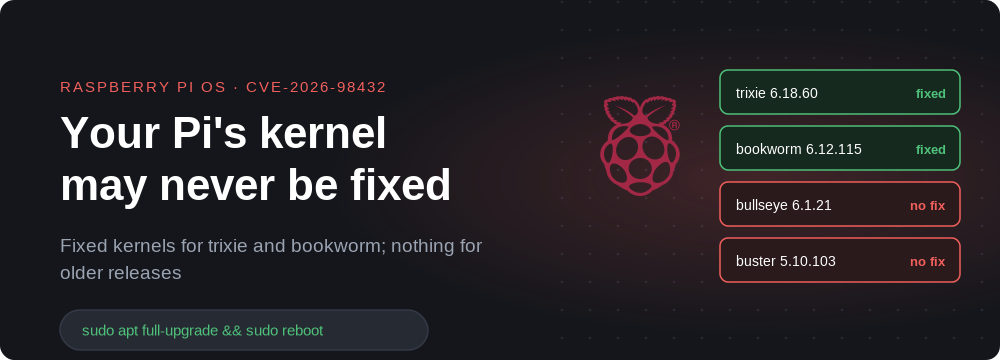
- Fixed Raspberry Pi OS kernels came out on 5 November:
6.18.60for trixie and6.12.115for bookworm.- Bullseye and buster never get a fix. Their kernels stopped at 6.1.21 (April 2023) and 5.10.103 (2022).
apt-get upgradekeeps the kernel back. Useapt full-upgrade, runapt updatefirst, and reboot.- Check your Pi with
uname -r, or the script below.- Can’t upgrade yet? The nftables stopgap works on Raspberry Pi OS. I validated it on three Pis.
What Raspberry Pi actually shipped
Raspberry Pi merges upstream stable releases into its kernel branches every week. The source has had the fix since upstream 6.18.56 and 6.12.113 in October. What matters is when it reached apt. Here’s what archive.raspberrypi.com has for each release today. The dates are from the package files on the server:
| Raspberry Pi OS | Kernel in apt | Published | CVE-2026-98432 |
|---|---|---|---|
| 13 trixie | 6.18.60-1+rpt1 |
5 Nov 2026 | fixed (needs 6.18.56+) |
| 12 bookworm | 6.12.115-1+rpt1 |
5 Nov 2026 | fixed (needs 6.12.113+) |
| 12 bookworm, previous | 6.12.109-1+rpt1 |
15 Sep 2026 | vulnerable |
| 11 bullseye | raspberrypi-kernel 1:1.20230405-1 = 6.1.21 |
Apr 2023 | vulnerable, no update |
| 10 buster | raspberrypi-kernel 1:1.20230509~buster-1 = 5.10.103 |
May 2023 | vulnerable, no update |
The CVE came out on 15 October, so the trixie and bookworm fix took about three weeks to reach apt. That’s why forum threads (like this DietPi one) suggested rpi-update, and why Home Assistant OS 18.5 fixed the Pi and Yellow later than its other boards. That’s sorted now.
Bullseye and buster are not. Their kernel package hasn’t changed since 2023, so every kernel bug fixed since then is still in it, this one included. A bullseye Pi that runs apt upgrade every night and reboots weekly is fully “up to date” and still vulnerable.
All the trixie and bookworm kernel flavours are on the same version: rpi-v8 (Pi 3/4/Zero 2 W, 64-bit), rpi-2712 (Pi 5), rpi-v6 and rpi-v7/v7l (32-bit), and the -rt real-time builds.
Check your Pi
uname -r
. /etc/os-release && echo "$VERSION_CODENAME"
On trixie and bookworm, uname -r looks like 6.18.60+rpt-rpi-2712. The part before the + is the upstream version. On bullseye and buster it looks like 6.1.21-v8+ or 5.10.103-v7l+.
To get a verdict, paste this. It compares the running kernel against the upstream versions that fixed the bug:
k=$(uname -r); v=${k%%[-+]*}
case $v in
  7.3|7.3.*) min=7.3 ;;  7.2.*) min=7.2.10 ;;  6.18.*) min=6.18.56 ;;
  6.12.*) min=6.12.113 ;; 6.6.*) min=6.6.159 ;; 6.1.*) min=6.1.190 ;;
  5.15.*) min=5.15.223 ;; 5.10.*) min=5.10.272 ;; *) min= ;;
esac
case $k in *-raspi|*-generic) min= ;; esac   # Ubuntu numbers don't map to upstream
if [ -z "$min" ]; then echo "$k: check your distro's tracker"
elif [ "$(printf '%s\n' "$min" "$v" | sort -V | head -1)" = "$min" ]; then echo "$k: fixed (>= $min)"
else echo "$k: VULNERABLE (needs >= $min)"; fi
It only works for Raspberry Pi kernels, which follow upstream version numbers. Ubuntu on a Pi (linux-raspi, uname -r like 6.8.0-1040-raspi) backports fixes under its own numbers. Its fixed versions are in the Ubuntu CVE tracker and were already out for 22.04 and newer when I wrote the first post. Home Assistant OS needs 18.5 or newer. DietPi installs Raspberry Pi’s kernel packages, so the table above applies.
My Pis
Here’s what I found, via SSH:
| Pi | OS | Running kernel | Result |
|---|---|---|---|
| Pi 5 | bookworm | 6.12.93+rpt-rpi-2712 |
VULNERABLE, fix available |
| Pi 4 (SSD) | bullseye | 5.10.103-v7l+ |
VULNERABLE, no fix in apt |
| Pi 4 | buster | 5.10.103-v7l+ |
VULNERABLE, no fix in apt |
| Pi 3B | buster | 5.10.103-v7+ |
VULNERABLE, no fix in apt |
The Pi 4 on bullseye runs the buster kernel, because it was upgraded from buster in place and its sources still list the buster Raspberry Pi repo. Upgrades in place leave things like this behind.
The Pi 5 was the interesting one. It runs Home Assistant, Mosquitto and Lyrion among other things, with 20 TCP ports listening on IPv4. It also showed me two ways to upgrade and still not get the fix.
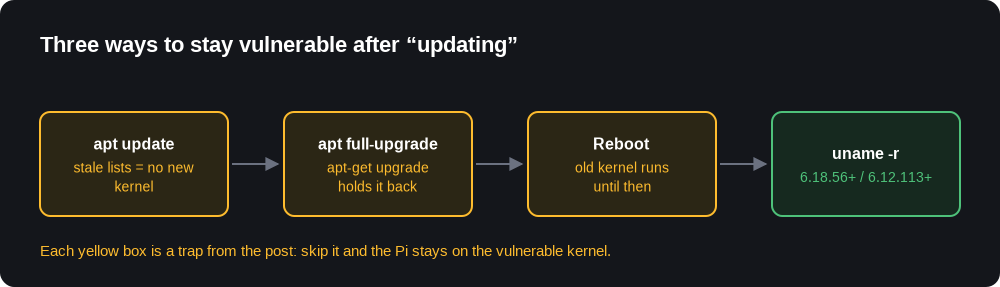
Trap 1: apt-get upgrade keeps the kernel back
Kernels on trixie and bookworm come as versioned packages (linux-image-6.12.115+rpt-rpi-2712). The linux-image-rpi-2712 metapackage pulls in the new one. apt-get upgrade never installs new packages, so it holds the metapackage back:
$ apt-get -s upgrade
The following packages have been kept back:
  linux-headers-rpi-2712 linux-headers-rpi-v8 linux-image-rpi-2712
  linux-image-rpi-v8 rpi-eeprom
apt upgrade (without -get) and apt full-upgrade do install it. If you have a cron job or Ansible task running apt-get upgrade -y, your Pi’s kernel hasn’t moved in a while.
Trap 2: stale package lists
The Pi 5’s package lists were last updated on 9 October. Here’s what apt upgrade would have installed:
Inst linux-image-6.12.109+rpt-rpi-2712 (1:6.12.109-1+rpt1 Raspberry Pi Foundation:oldstable [arm64])
That’s the September kernel, still vulnerable. Without apt update, apt only knows about what was in the repo on the day of the last update.
Trap 3: no reboot
Same as on any Linux machine: the new kernel only runs after a reboot. unattended-upgrades doesn’t reboot unless you tell it to.
Fix: trixie and bookworm
sudo apt update
sudo apt full-upgrade
sudo reboot
After the reboot, uname -r should show 6.18.60+rpt-… or 6.12.115+rpt-… (or newer).
If you’ve run rpi-update in the past, check uname -r after the reboot. It should end in +rpt-…, which marks an apt kernel. Raspberry Pi’s documentation gives sudo apt install --reinstall raspi-firmware to go back to the stable firmware. It doesn’t give a separate command for the kernel, so I’d also reinstall your linux-image-rpi-* package before rebooting.
Fix: bullseye and buster
There’s no package to install. Your options, best first:
- Reinstall with trixie. Raspberry Pi still builds trixie for the oldest boards: the repo has
rpi-v6andrpi-v7kernels for Pi 1, Zero and Pi 2. Back up, write a fresh card with Raspberry Pi Imager, restore your config. It takes longer than an upgrade, but you get a kernel that’s still maintained. Upgrading from buster to bullseye in place is what gave me the mismatched Pi 4 above. - Firewall it with the stopgap below and keep it off the internet until you reinstall. That reduces the risk but doesn’t remove it.
rpi-update. It installs the latest pre-release kernel (today6.18.65) on any release, bullseye included. Raspberry Pi says it’s “intended for use by developers and engineers” and “can introduce instability, rendering your system unreliable or unbootable.” On a Pi 4 or 5 it also updates the EEPROM bootloader. On an old userland, a 6.18 kernel with 2023 firmware tools is a combination nobody tests. I wouldn’t do it on a Pi I care about.
Stopgap if you can’t patch today
The nftables rule from the first post works on Raspberry Pi OS. It drops incoming IPv4 TCP packets that carry IP options, which the exploit needs. I checked it with nft -c (validate without applying) on buster (nftables 0.9.6), bullseye (0.9.8) and bookworm (1.0.6):
sudo tee /etc/cve-2026-98432.nft >/dev/null <<'EOF'
table inet cve_2026_98432 {
  chain input {
    type filter hook input priority -310; policy accept;
    ip protocol tcp ip hdrlength > 5 counter drop
  }
}
EOF
sudo nft -c -f /etc/cve-2026-98432.nft && sudo nft -f /etc/cve-2026-98432.nft
nft is in /usr/sbin, so it won’t be found without sudo. On Pis without nftables, this iptables rule does the same job with the u32 match. It parsed with iptables-restore --test on all four Pis:
sudo iptables -I INPUT -p tcp -m u32 --u32 "0>>24&0x0F=6:15" -j DROP
The same limits apply as before: Red Hat and Ubuntu say it reduces risk but doesn’t fully prevent exploitation, it only covers traffic to the host itself (containers with their own network go through forward), and it’s gone after a reboot.
What to do, in order
- Run
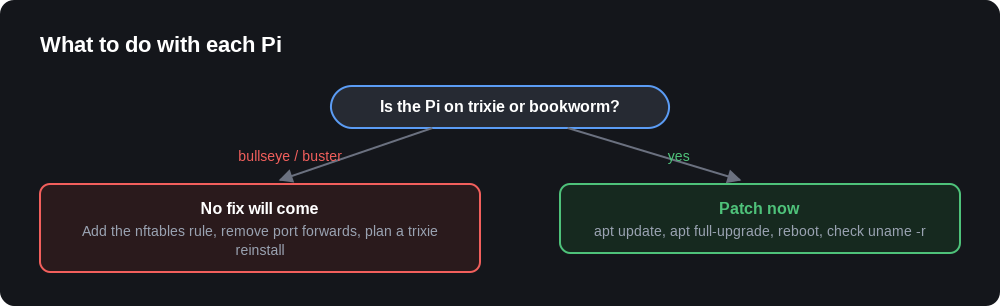
uname -ron every Pi. Don’t forget the one running the 3D printer, the one in the garage, and the one behind the TV. - Trixie/bookworm:
apt update,apt full-upgrade, reboot. Then checkuname -ragain. - Bullseye/buster: add the firewall rule today, plan a trixie reinstall, and take it off any port forward until then.
- Replace any
apt-get upgradein scripts withapt-get dist-upgradeorapt full-upgrade.
I have three Pis to reinstall this weekend. If you’re unsure which Pi is worth reinstalling, my which Pi to buy post covers what each model is still good for. Prices went up again this month, so reinstalling an old Pi is cheaper than replacing it.
Sources
- Raspberry Pi apt repository:
dists/{trixie,bookworm,bullseye,buster}package indexes andpool/main/l/linux/ - raspberrypi/linux
rpi-6.18.yandrpi-6.12.ybranches, and raspberrypi/firmware (tag1.20230405= 6.1.21) - Ubuntu: CVE-2026-98432
- DietPi forum: Please upgrade your kernel to fix CVE-2026-98432
- smarthomeassistent.de: Home Assistant OS 18.5 kernel update for Raspberry Pi and Yellow
- Raspberry Pi documentation: rpi-update